Advanced Topics
How to fit or calculate free-ion energy levels
1. Input Parameters
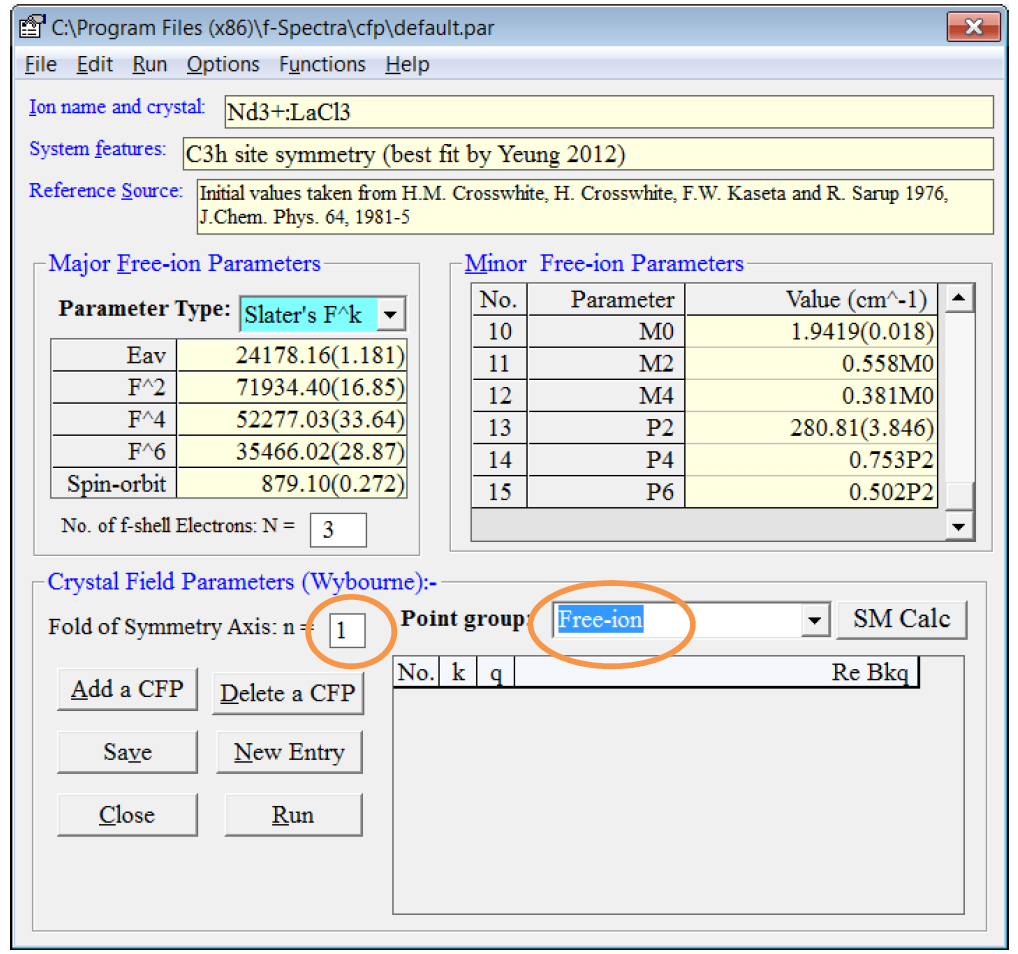
- Similar to the Subsection 1 of Quick Start, you should see the following Input Parameters window for the input or editing of the major and minor free-ion parameters after running the f-Spectra package. Select File->New (or Load file) from the menu to create a new set of input parameters (or open an existing parameter file *.par).
- As shown in the Figure 5 below, you should choose Free-ion for the point group and then n will become 1. There is no crystal field parameter for input while entries for free-ion parameters will remain the same. You may refer to Steps 1-7 of Subsection 1 in the Quick Start.
Figure 5: Setting for the input of free-ion parameters.
2. Calculation of Free-ion Energies
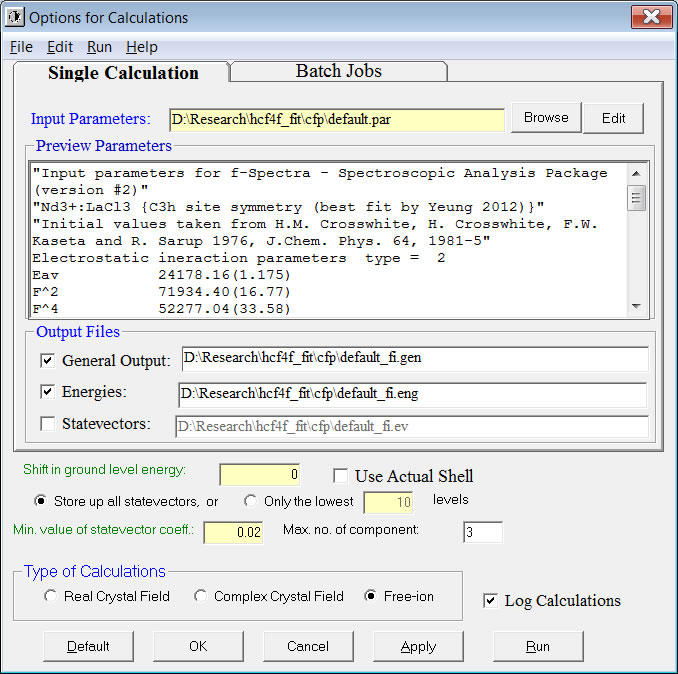
To calculate the energy levels using the given parameters, choose Run->Calculations with Options->Free Ion Calculation from the menu. If you are fine with the default settings shown in the window, you should click the [Run] button to start the calculation which will usually be completed within a minute.
Three plain texts will be generated and shown with the following file name extension (with filename taken from that of the *.par file):
- *.eng for the energy, J, gJ-factor and 3 largest statevector components of each state plus information for the reduced matrix elements of various operators.
- *.ev for the coefficients of every statevector (quantum numbers for each statevector component are given at the beginning of the file).
- *.gen for general information of the fit or calculation, including input parameters, output energies and statevectors etc.
3. Fitting to Observed Free-ion Energy Levels
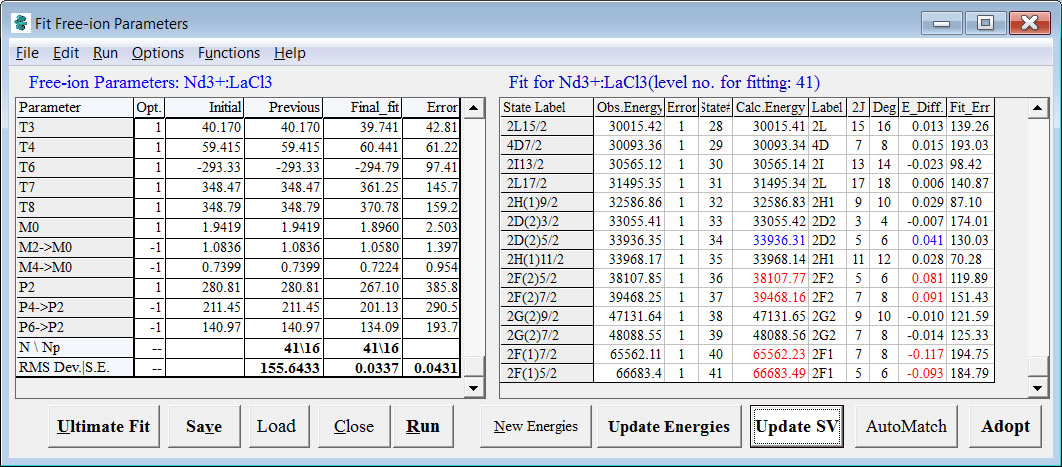
To start the crystal field fit, choose Run->Fit Free Ion Hamiltonian from the menu. As shown in the Figure 6 below, the Fit window is similar to that shown in Figure 3 except the followings:
- There is no column for the IR in the RHS panel.
- There is no row for crystal field parameters in the LHS panel.
- The fit should converge much faster than that for the fit of the crystal field energy levels.
The other aspects are similar to those given in Subsection 3 in Quick Start. You may click the Ultimate Fit button to get the fit done very quickly.
Figure 6: Fit Free-ion Parameters window
[Previous: Quick Start]|[Table of Contents]|[Next: Full Menu and Commands]
Copyright (C) 2016. YEUNG Yau Yuen. All Rights Reserved.